
Download Potpie – AI Agents for Engineering Tasks
Overview: Why Potpie Is Changing the Way Engineers Automate
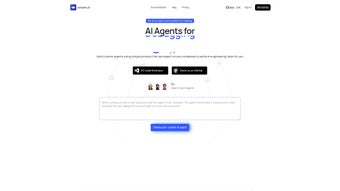
Potpie is a cutting‑edge, AI‑driven web application that transforms any existing codebase into a living, searchable knowledge graph and then lets you spin up custom, task‑oriented agents in minutes. Designed specifically for software engineers, DevOps teams, and technically‑savvy product managers, Potpie removes the friction traditionally associated with building bespoke automation tools. Rather than writing complex scripts or stitching together dozens of third‑party services, you simply describe the goal—such as “run integration tests for the payment module” or “generate a high‑level system design for a new microservice”—and the platform’s contextual AI creates an agent that knows exactly which files, libraries, and CI pipelines to touch.
The subscription‑based model guarantees continuous updates, security patches, and access to the latest large‑language‑model (LLM) capabilities, keeping your engineering workflow both secure and future‑proof. By leveraging the full context of your repository, Potpie’s agents achieve a level of precision that generic chat‑bots cannot match, making it an indispensable addition to modern development toolchains. Whether you are a solo developer looking to speed up repetitive tasks or a large organization seeking to standardize automation across multiple projects, Potpie offers a scalable, transparent, and secure solution that adapts to any environment.
Key Features: The Engine Behind Potpie’s Context‑Aware Automation
- Context‑aware knowledge graph that maps every file, function, and dependency in your codebase.
- Natural‑language prompt builder – create agents with simple sentences instead of code.
- Self‑selecting toolchain – agents automatically choose compilers, test runners, or documentation generators.
- Live chat interface for real‑time interaction, debugging, and iterative refinement.
- Multi‑project support – handle monorepos or multiple unrelated repositories from a single dashboard.
- Role‑based access control and audit logs for enterprise security compliance.
- Versioned agent templates – save, share, and reuse successful agent configurations.
- Automatic updates to the underlying LLM models, ensuring the latest AI breakthroughs are always available.
The heart of Potpie is its proprietary AI engine, which blends retrieval‑augmented generation (RAG) with a fine‑tuned LLM. When you submit a prompt, the engine first queries the knowledge graph to retrieve the most relevant code snippets, documentation, and configuration files. Those pieces of context are then fed into the LLM, which crafts a step‑by‑step plan and executes it through sandboxed containers.
Because the decision‑making process is fully observable, engineers can trust the agent’s actions and intervene whenever needed. Potpie also includes a “debug view” that visualizes the graph traversal, tool selection, and intermediate outputs, providing transparency that traditional AI assistants lack. This architecture not only boosts accuracy but also reduces the risk of unintended side effects—a critical concern when agents modify production code or trigger deployments.
The result is a system that can reliably automate everything from routine linting to complex multi‑service integration testing, all while keeping the human in the loop for oversight and fine‑tuning.
Installation, Setup, and System Compatibility
Getting started with Potpie is intentionally frictionless. As a web‑based SaaS, there is no client‑side installation required beyond a modern browser (Chrome, Edge, Firefox, or Safari). To begin, visit the Potpie portal, create an account, and choose a subscription tier that matches your team size.
After logging in, you’ll be guided through a wizard that connects Potpie to your source‑control provider—GitHub, GitLab, Bitbucket, or a self‑hosted Git instance. The integration uses OAuth for secure token exchange, ensuring that Potpie never stores raw credentials. Once the repository is linked, Potpie automatically scans the codebase, builds the knowledge graph, and presents an initial dashboard within five to ten minutes for average projects.
For on‑premise teams that require a self‑hosted version, Potpie offers a Docker image that can be deployed on any Linux server supporting Docker 20.10+. The container includes all required services—graph database, LLM inference server, and web UI—and can be orchestrated via Kubernetes for high‑availability setups. The Docker‑based deployment respects the same subscription licensing model but runs behind your firewall, offering the same AI capabilities without exposing data to the public internet.
Supported operating systems (itemprop="operatingSystem"):
- Windows 10/11 (via browser or WSL2 for Docker)
- macOS 12 Monterey and later
- Linux distributions with kernel 4.15+ (Ubuntu, Debian, Fedora, CentOS)
- Android & iOS (mobile‑optimized web UI)
docker pull potpie/engine:latest command, ensuring you always run the most secure and feature‑rich release.
Pros, Cons, and Frequently Asked Questions
Pros
- Highly contextual AI that reduces false positives in code‑generation tasks.
- No programming required to create powerful automation agents.
- Seamless integration with major Git platforms and CI/CD pipelines.
- Transparent decision‑making via the debug view and audit logs.
- Scalable SaaS and on‑premise options to fit any security posture.
Cons
- Subscription cost may be a barrier for very small teams or solo developers.
- Initial knowledge‑graph creation can be time‑consuming for extremely large monorepos.
- Advanced customizations still require some familiarity with YAML‑based agent templates.
FAQ (itemscope itemtype="https://schema.org/FAQPage")
Can Potpie access private repositories?
Yes. Potpie uses OAuth tokens to securely connect to private repositories on GitHub, GitLab, or Bitbucket. The tokens are stored encrypted and never exposed to the client.
Is there a free trial available?
Potpie offers a 14‑day free trial with full feature access, allowing you to evaluate the AI agents on your own codebase before committing to a subscription.
How does Potpie ensure data privacy?
All data processing occurs in encrypted transit (TLS 1.3). For SaaS customers, the knowledge graph is stored in a dedicated VPC with at‑rest encryption. On‑premise deployments keep all data behind your firewall.
Can I customize the AI model used by Potpie?
While the hosted version automatically upgrades to the latest model, the Docker image lets you point to a self‑hosted LLM endpoint, giving you full control over model selection and versioning.
What kind of support is included with the subscription?
All plans include 24/7 email support, access to a community forum, and quarterly webinars on best practices. Enterprise tiers receive dedicated account managers and SLA‑backed response times.
These questions cover the most common concerns from security to customization, helping potential users understand how Potpie fits into their development workflow.
Conclusion & Call to Action
Potpie stands out in a crowded AI‑assistant market by marrying deep codebase awareness with an intuitive, natural‑language interface. For teams that spend countless hours writing boilerplate scripts, configuring CI pipelines, or onboarding new engineers, Potpie delivers measurable time savings and reduces the risk of human error. The platform’s transparency, security options, and continuous model upgrades make it a reliable long‑term investment. If you’re ready to transform repetitive engineering tasks into autonomous, context‑driven workflows, click the button below to start your free trial and experience the future of AI‑enhanced development.



.png)



